
Content archive retirement checklist
A practical checklist for deciding whether to keep, revise, consolidate, or remove an old page without losing its history, links, or reader purpose.
content archive retirement checklist
A content archive retirement checklist prevents an old page from disappearing on the strength of one weak signal. Low recent traffic may deserve investigation, but the page can still answer a distinct question, hold useful links, support a conversion path, or preserve information the organization must keep.
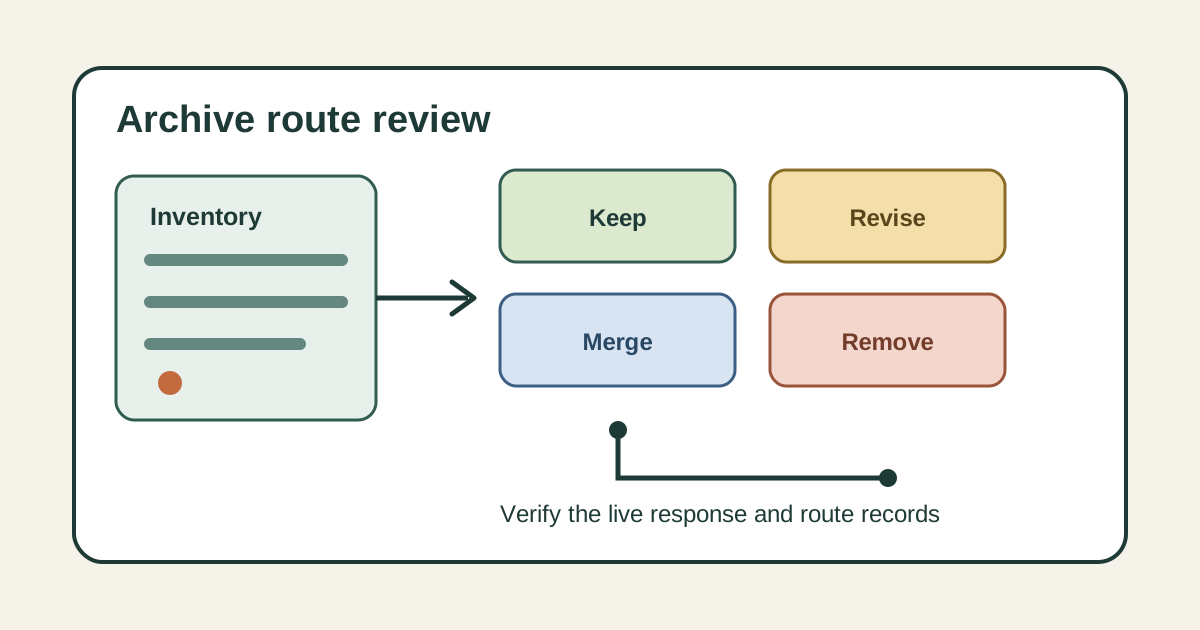
Treat retirement as a route decision, not a cleanup chore. The reviewer should choose among keeping the page, revising it, consolidating it into a relevant destination, or removing it with an accurate response.
Open a decision record for every candidate URL. Name the page owner, original reader task, review trigger, evidence period, proposed outcome, approver, and release checks so another editor can reconstruct why the route changed.
Inventory the route before judging it
Request the canonical URL and save its current state before editing. Record the status code, title, H1, canonical tag, indexability, publication and modification dates, structured data, sitemap membership, primary media, and every language or format variant that resolves to the same content.
Then map how people and systems reach it. Check internal links, external links reported by available tools, navigation, campaign references, downloadable assets, feed entries, conversion events, and any child pages that use the route as context.
Do not assume the URL in the archive list is the only version. Protocol, hostname, case, trailing slash, parameters, and an earlier slug may expose variants that need the same disposition or a separate decision.
Separate performance evidence from page purpose
Review search impressions, visits, assisted actions, and conversions over a period that fits the topic. Compare like periods when demand is seasonal, and mark tracking gaps instead of turning missing data into a finding that nobody uses the page.
Read the page as a reader would. State the question it answers, the audience it serves, and whether a current route already completes that same task better. Two pages that share vocabulary may still serve different decisions, while differently titled pages may be genuine substitutes.
Check accuracy and maintenance cost separately. A sound page with little demand may be inexpensive to keep, while a frequently visited page with obsolete instructions may need urgent revision rather than preservation because its traffic looks healthy.
Check obligations and historical value
Ask the responsible records, legal, product, or policy owner whether the page or its underlying material has a retention requirement. Save the owner's answer and the rule or agreement they relied on, but keep private records and personal information out of the public article and release package.
Look for durable historical use as well. Release notes, policy versions, research methods, dated announcements, and documentation cited elsewhere may need a stable archive even when they should no longer appear in current navigation.
Preservation does not require presenting old guidance as current. A clear date, scope note, archive label, and link to the current resource can protect the record while helping readers understand which page governs today's task.
Choose keep, revise, merge, or remove
Keep the route when its answer remains accurate, distinct, and useful enough to justify maintenance. Revise it when the reader task still matters but the evidence, instructions, examples, links, or presentation no longer meet the editorial standard.
Merge only when a destination genuinely satisfies the old page's task. Write a source to destination map, move any unique and useful material through editorial review, and compare the proposed destination with the intent that brought someone to the old URL.
Remove the route when the material should no longer be available and no suitable replacement exists. Google Search Central advises returning a true 404 or 410 response for deleted content that is not moving, and warns against sending many old URLs to an irrelevant destination such as a home page.
Build the release record
For a kept or revised page, list the accepted copy, source, metadata, media, schema, link, and sitemap changes. For a merge, record the old URL, one relevant destination, redirect type, transferred material, updated internal links, canonical ownership, and the period during which the redirect will be monitored.
For removal, name every retired variant and the expected response. Delete the route from navigation, internal links, feeds, generated indexes, and recursive sitemaps, then update references that would otherwise send a reader to an error page.
Tie approval to an immutable content state. A ticket, preview, or deployment start cannot prove which version reached production, so record the exact reviewed revision and require a fresh decision if the tree changes before release.
Verify production and watch for mistakes
After deployment, request the old URL directly without relying on a browser cache. Confirm the expected 200, redirect, 404, or 410 response, follow any redirect to its final destination, and check that a removed page does not return a friendly looking error with a 200 response.
Inspect the destination title, H1, canonical, indexability, content, media, schema, and internal links. Recheck navigation and every sitemap layer so an old URL is not advertised after the server begins treating it as retired.
Save the deployed revision, verification time, response chain, and result. Keep the record open when traffic lands on the wrong destination, a valuable link was missed, a required archive vanished, or the live representation differs from the approved decision.
Sources
- Site moves and migrations, Google Search Central. Supports using relevant permanent redirects for moved pages, returning 404 or 410 for deleted content without a replacement, and avoiding irrelevant bulk redirects.
Related GTM guides
Frequently asked questions
Should every low traffic page be retired?
No. Review the page's distinct reader task, accuracy, links, conversions, retention needs, historical use, and maintenance cost before deciding. Low traffic is one observation, not proof that a route has no purpose.
When should an old page redirect to another page?
Use a redirect when the destination genuinely completes the same reader task or contains the accepted consolidated material. If there is no relevant replacement and the content is gone, return the correct 404 or 410 response instead of redirecting to a home page.
What must be checked after retiring a content route?
Request the old URL, verify its response chain, inspect any destination, and confirm that internal links, navigation, feeds, generated indexes, canonicals, and every sitemap layer reflect the approved decision. Save the deployed revision and verification time.